Lovable
Describe an app in plain English and it builds a working website or app for you.
Home / Guides / Website Building
Published 2026-10-21 · Sources checked 2026-10-21
Short answer: an AI website builder turns a description into a working site. But "build for free" and "run a public site for free" aren't always the same. Before you pick one, check publishing limits, hosting costs, credits, your own domain and export.
Building an app rather than a website? Our Lovable vs Bolt vs Replit comparison covers that side by side.
| Approach | Examples | Good for | Common trade-off |
|---|---|---|---|
| Prompt-to-site builder | Lovable, Bolt, Base44 | Landing pages, simple sites and apps | Credits run out; branding or limits on free sites |
| AI development workspace | Replit, v0 | Projects that will need code, data and debugging | Usage-based credits; more technical |
| Visual builder with AI help | Framer, and similar design-first builders | Portfolios and marketing sites | Custom domains and more bandwidth cost extra |
Toolnary hasn't performance-tested these platforms. Treat this as a shortlist of approaches, not a ranking.
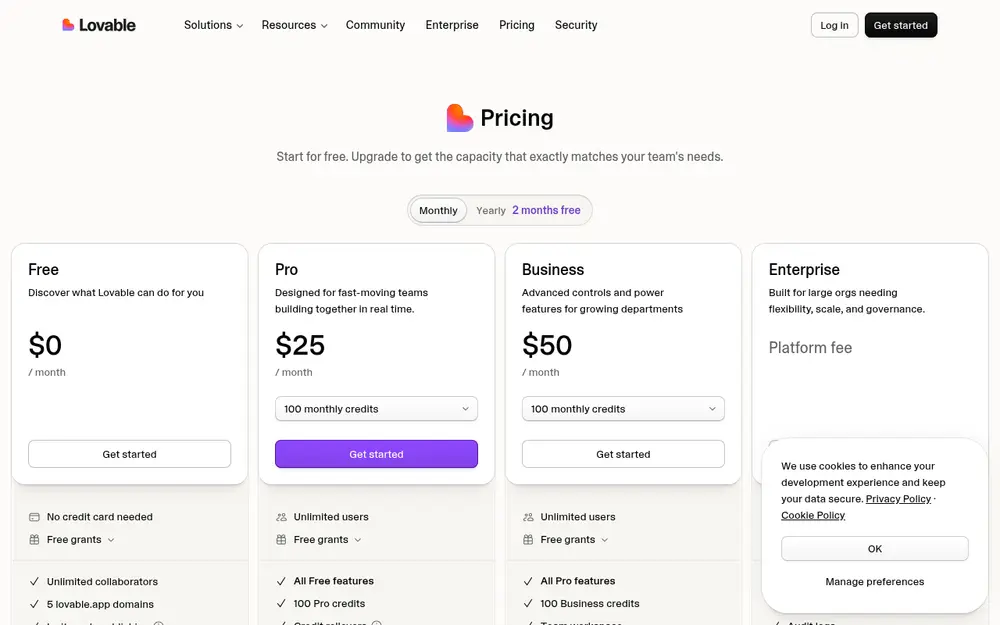
Lovable builds websites and web apps from a chat. Free plan: 5 build credits a day (up to 30 a month) plus 20 Cloud credits a month. (checked 2026-10-20) Lovable's pricing FAQ says small sites' hosting is usually covered by the included Cloud credits, and that you own the code you build.
Example task: "Build a landing page for my dog-walking business with a header, prices, an FAQ, a contact form, and a mobile-friendly layout."
Bolt free plan: 1M tokens a month, max 300K a day; Bolt branding on sites; hosting included; no card. (checked 2026-10-20) Base44 includes login, a database and hosting: 25 message credits and 100 integration credits a month; up to 5 apps. (checked 2026-10-20)
Replit's Agent builds and changes an app from instructions, and it's a good fit when you expect logins, databases or custom logic. Free Starter plan: Starter plan: daily Agent allowance, limited monthly cloud credits, 1 published app. (checked 2026-10-20) Paid Core is $20/month ($18 billed yearly). Check credits, publishing allowances and running costs.
Example task: "Create a searchable directory of local cafes, then test the filters, loading states and links."
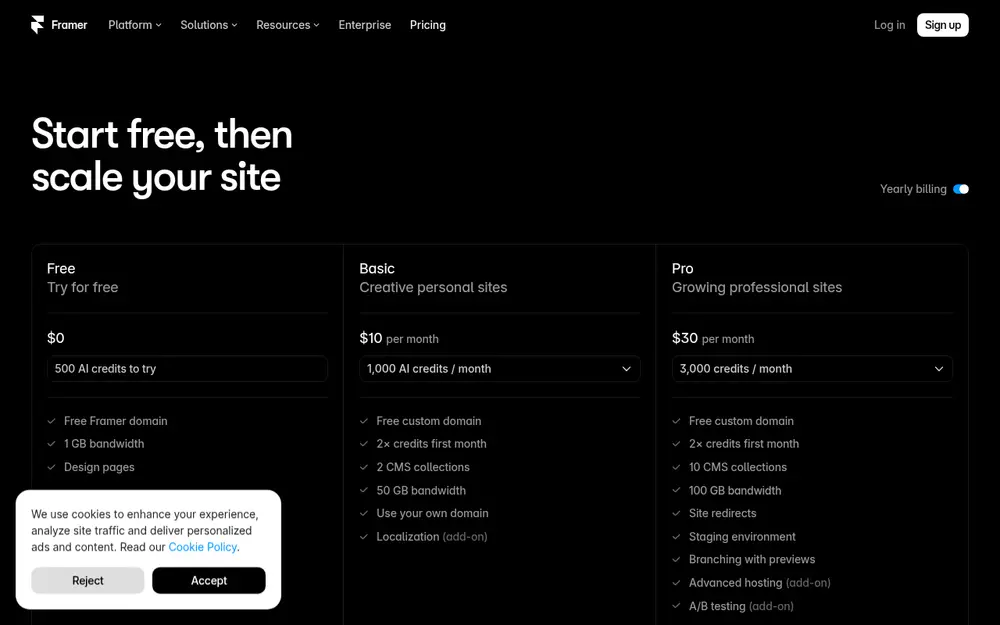
When your site is mostly text, images, forms and landing pages, a visual builder can be easier to keep tidy. Framer's free plan includes a free Framer domain, 1 GB bandwidth and 500 AI credits to try its agents, and Framer describes it as best for non-commercial use. A custom domain needs a paid plan (Basic from $10/month billed yearly).
Build a clean, accessible website for my small bakery. Use a light background, one accent color, a menu section, opening hours, a map link and a contact form. Include a mobile menu and unique page titles. Don't add animations or extra dependencies unless needed. Show me a preview first and list any ongoing costs.
A finished-looking site doesn't mean the privacy policy, legal text, analytics, payments or SEO are right. Check the published site and its settings yourself before you share it.
Describe an app in plain English and it builds a working website or app for you.
An AI app builder in your browser: type what you want, get a working web app.
Describe an app and Base44 builds it with login, database and hosting included.
Build and host apps in the browser with an AI agent that writes the code.
Generates polished web interfaces and apps from a prompt.
Related: Lovable vs Bolt vs Replit🧩 Build an app without codingWhat is an AI agent?
Not sure where to start? Take the quick quiz and get a pick for your task.
For a site or simple app described in plain English, Lovable is the friendliest start. For a design-led portfolio or marketing site, a visual builder like Framer gives you more control over the look. For apps that will need logins, a database or custom logic, look at Replit or Base44. Check publishing and domain limits on the free plan first.
Usually you can build and publish something small for free, with limits. Lovable: 5 build credits a day (up to 30 a month) plus 20 Cloud credits a month. (checked 2026-10-20) Framer's free plan includes a free Framer subdomain and 1 GB bandwidth; a custom domain needs a paid plan.
Often not. Framer, for example, requires a paid plan to connect a custom domain, and Bolt shows its branding on free sites. Check the pricing page of the builder you pick.
Many offer page titles, descriptions and sitemaps, but you still need original content, crawlable pages and sensible links between them. Check the published site, not just the editor.
It depends on whether you can export the code and data. Lovable says you own the code you build there. Check export and database options before you invest a lot of time.
Toolnary has not run controlled benchmarks of these products. Plans, limits and features change often, so check the official page before you rely on a limit.